
Replacing the Capsule on the Sennheiser Spectera: How to Install a Shure Microphone Capsule
- Fast Deliveries!
- Any Questions? We will help you!
- Multiple payment options!
- BrandAMBIENT
Description
Why combine Sennheiser Spectera and Shure capsules?
The Spectera ecosystem offers unique advantages for live production and events, but Sennheiser and Shure use different mechanical thread standards and connector types for their capsules.
By using a conversion adapter, you can easily:
- Maintain the artist’s familiar vocal sound (e.g., Shure KSM11 or Beta 58A).
- Take advantage of the Spectera system’s digital two-way communication and stable RF transmission.
- Maximize the flexibility of your rental fleet to meet various stage requirements.
What do you need to connect a Shure capsule to Spectera?
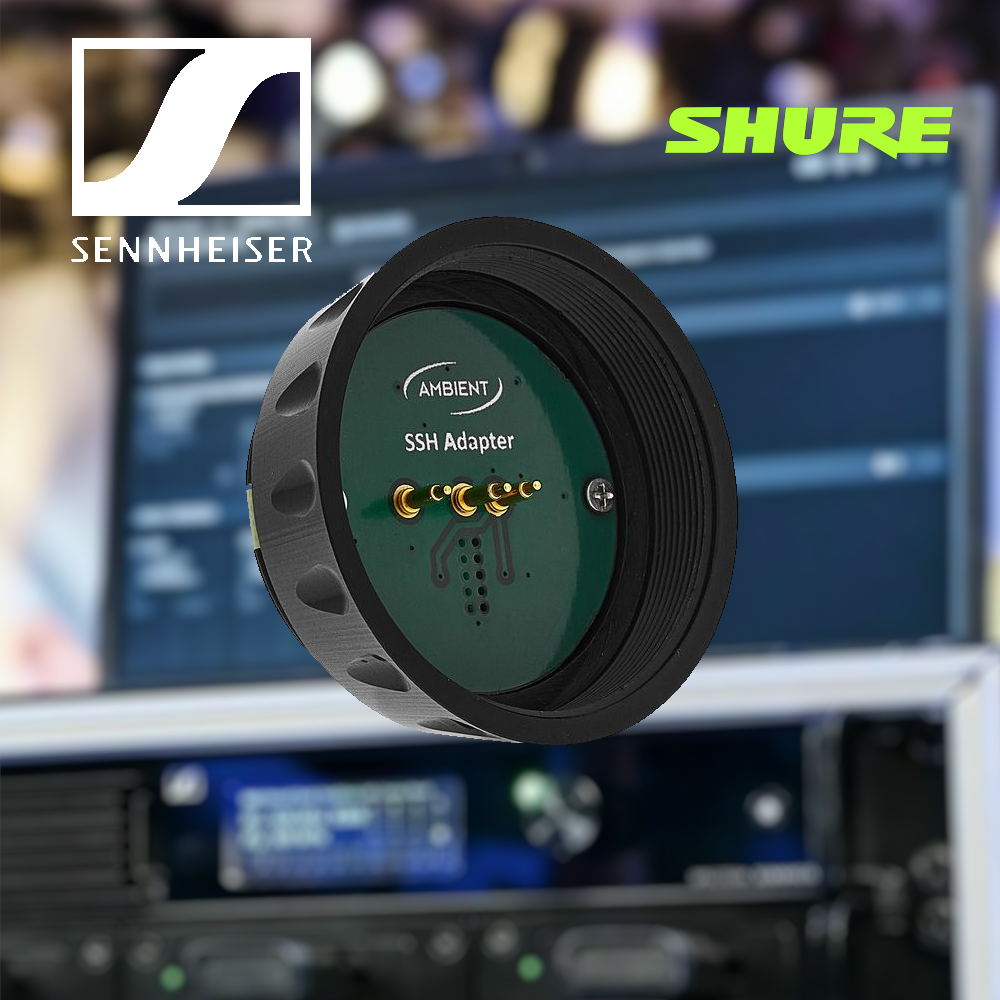
To make the conversion, you’ll need a mechanical and electrical capsule adapter (threaded adapter). Since the Spectera transmitter uses Sennheiser’s standardized threaded mount, adapters designed for the Sennheiser 2000/9000/Evolution series work perfectly.
Popular adapters on the market:
- Ambient Recording HHA-SS: The most established adapter in the industry. It converts Sennheiser handheld transmitters to a Shure thread and handles both proper power supply and grounding.
- Sound-X-tech / Third-Party Adapters: Niche adapters designed to provide a seamless transition between Sennheiser transmitter bodies and Shure-compatible capsules.
Tip: Thanks to the prevalence of the Shure thread, these adapters also allow you to mount capsules from manufacturers such as DPA (d:facto with adapter), Earthworks, and Heil Sound on your Spectera microphone.
Step-by-Step: Mounting a Shure Capsule on the Spectera Handheld Transmitter
Follow these five simple steps for installation:
- Turn off the power: Always turn off the Spectera handheld transmitter before changing the capsule to prevent pops and electrical shocks in the audio chain.
- Unscrew the Sennheiser capsule: Turn counterclockwise to remove the existing Sennheiser capsule.
- Screw on the threaded adapter: Attach the adapter (e.g., Ambient HHA-SS) to the Spectera transmitter. Tighten by hand until it is securely fastened without using tools.
- Attach the Shure capsule: Screw your Shure capsule onto the adapter. Ensure that the contact surfaces and spring pins make a tight connection.
- Adjust the gain and test: Turn on the transmitter. Check the input levels (Input Gain) in the Spectera system software or base station.
3 Things to Keep in Mind When Replacing a Capsule
1. Sensitivity and Input Gain
Different microphone capsules have differentsensitivity levels. A condenser capsule like the Shure KSM9 requires a different gain structure than a dynamic capsule like the SM58. Always adjust the gain trim in Spectera to avoid digital clipping.
2. Moisture Protection and Fit
When used on stage, sweat and moisture can seep into the joints. Make sure the O-rings and threads seal completely tight so that the adapter protects the transmitter’s internal electronics.
3. Weight and Balance
An adapter extends the microphone by a few millimeters and adds a little weight. This rarely affects handling, but it’s good to be aware of if the artist is extremely sensitive to the microphone’s balance.
Frequently Asked Questions (FAQ)
Do all Shure capsules work with the Sennheiser Spectera?
Yes, most modern capsules with Shure standard threads (both dynamic and condenser) work perfectly as long as you use an approved adapter such as the Ambient HHA-SSH.
Does the adapter affect the sound quality or latency in Spectera?
No. The adapter only routes the analog audio signal and power supply from the capsule to the transmitter’s input stage. It does not affect the Spectera system’s signal processing or latency.
Do I need to change any settings in the Spectera base station?
You do not need to change any system settings other than adjusting the input level (gain) based on the new capsule’s output level and sensitivity.