


Pixilab - Server function: ArtNet recording
€464
You don't have to be afraid to do advanced light programming in Blocks. Add the Art-Net recording server feature and use a platform you are used to and record the Art-Net streams directly in Blocks!
- Fast Deliveries!
- Any Questions? We will help you!
- Multiple payment options!
- BrandPIXILAB
Description
Article no.: 622-0140
Blocks can record an Art-Net data stream in real time, for example originating from an external lighting console.
NOTE: Art-Net recording and playback requires a separate licensing option.
- To record from an external lighting console, first connect the console using Art-Net to your Blocks network. Configure the console to either unicast to the IP address of your Blocks server or to broadcast (using either a global broadcast address of 255.255.255.255 or a subnet-specific broadcast address matching your Blocks network)
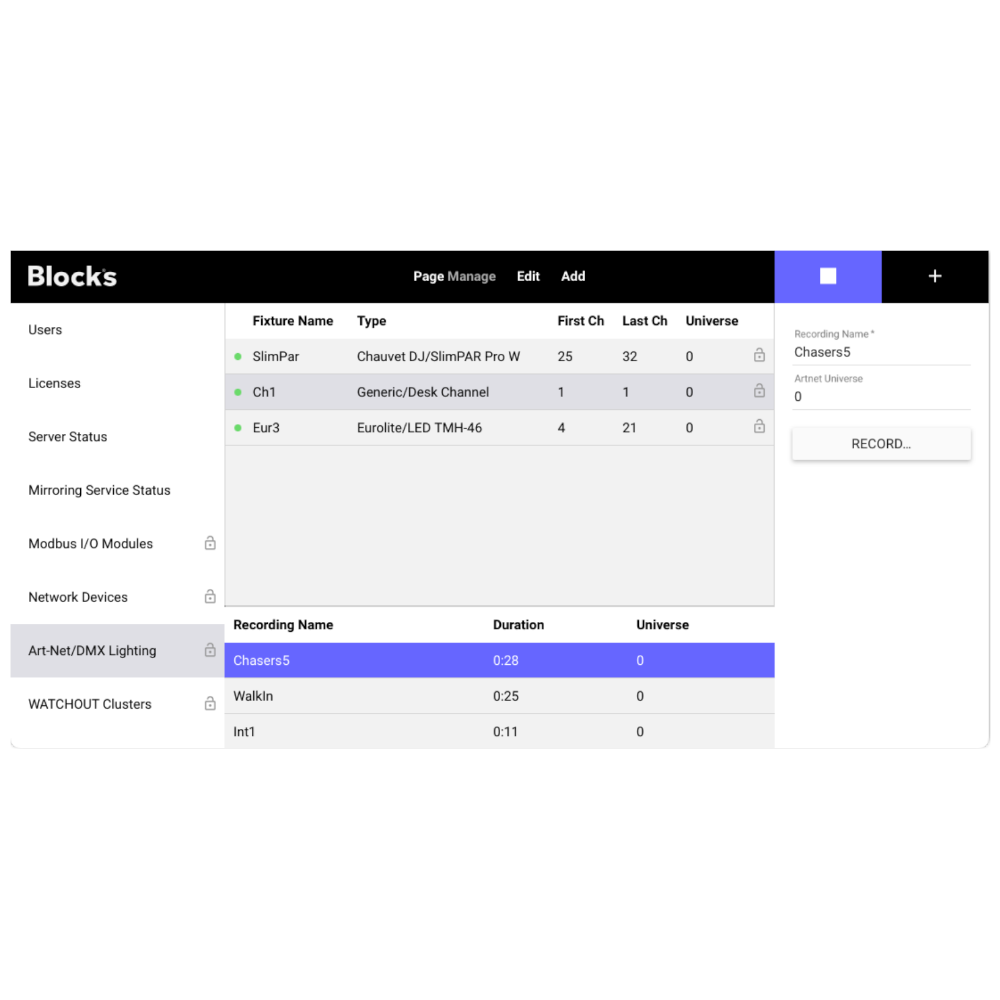
- On the Add menu, select Recording to add a new recording. Name the recording as desired, and specify the Art-Net universe number on which the console sends its data. Note that the first Art-Net universe in Blocks is numbered 0, while some other systems may use 1-based universe numbers.
- To make a recording (or to re-record an existing recording) press the “Record…” button to open the recording dialog box.
- To record from an external console, make sure that the “Mute Art-Net Output while Recording” is selected. Unselect this if you instead want to record Art-Net data originating from Blocks itself.
- Press START to begin recording.
- To stop a recording in progress, select the recording then click the “Stop Recording” button.
- For free-running playback, set the playing property of the recording to true using a Button or a Task.
- For synchronized playback, use a Task to call the startSync function of the recording, passing it the path to its synchronization time source and an optional time offset. Call stopSync to terminate synchronized playback.
NOTE: Art-Net recording and playback requires a separate licensing option.