

Pixilab - Server Feature: Network Audio, AES67
- Fast Deliveries!
- Any Questions? We will help you!
- Multiple payment options!
- BrandPIXILAB
Description
Article no.: 622-0142
PIXILAB Player AES67 Audio over IP
This article describes how to set up AES67 Audio over IP in PIXILAB Player.System Requirements
AES67 is available in PIXILAB Player from version 8.0. NOTE: A separate license is required to use AES67 Network Audio from PIXILAB Player.
Player hardware
We recommend players with Intel processors, as these handle the real-time CPU task scheduling that AES67 depends on for more reliably.Network
-
All network switches and cables must support gigabit speeds.
-
PIXILAB Player AES67 is multicast only, so switches must support IGMP snooping, and an IGMP querier must be present on the network.
-
We recommend network hardware designed for A/V use. For example, Netgear's A/V range offers easy-to-use profiles for audio over IP.
-
PIXILAB does not provide support or documentation for configuring networks for AES67/AoIP, as this is not specific to Blocks.
Audio format
PIXILAB Player transmits 2-8 channels of 24-bit audio at 48 kHz with a packet time of 1 ms. This format is fixed, so receivers must support it. It defaults to 8 but set it conservative as a silent channel consumes as much bandwidth as one with audio.
Compatibility
PIXILAB Player AES67 has been tested with AES67-compatible Dante devices such as Audinate Dante AUIO receivers and Genelec speakers. Any device with modern Audinate chipset should be able to receive AES67. Streams are automatically discovered by Dante Controller software via autodiscovery (SAP/SDP). Ususally a Audinate controller can only do either AES67 or Dante, not both at the same time.
Clock synchronization
PIXILAB Player uses PTP (IEEE 1588) for clock synchronization. PTP is implemented in software, hence the player does not rely on hardware timestamping in the network adapter. In a AoIP network, the leader clock is normally selected automatically by the devices. All other devices synchronize their clocks to the elected leader. The current leader and synchronization status can be inspected in Dante Controller.
Getting Started

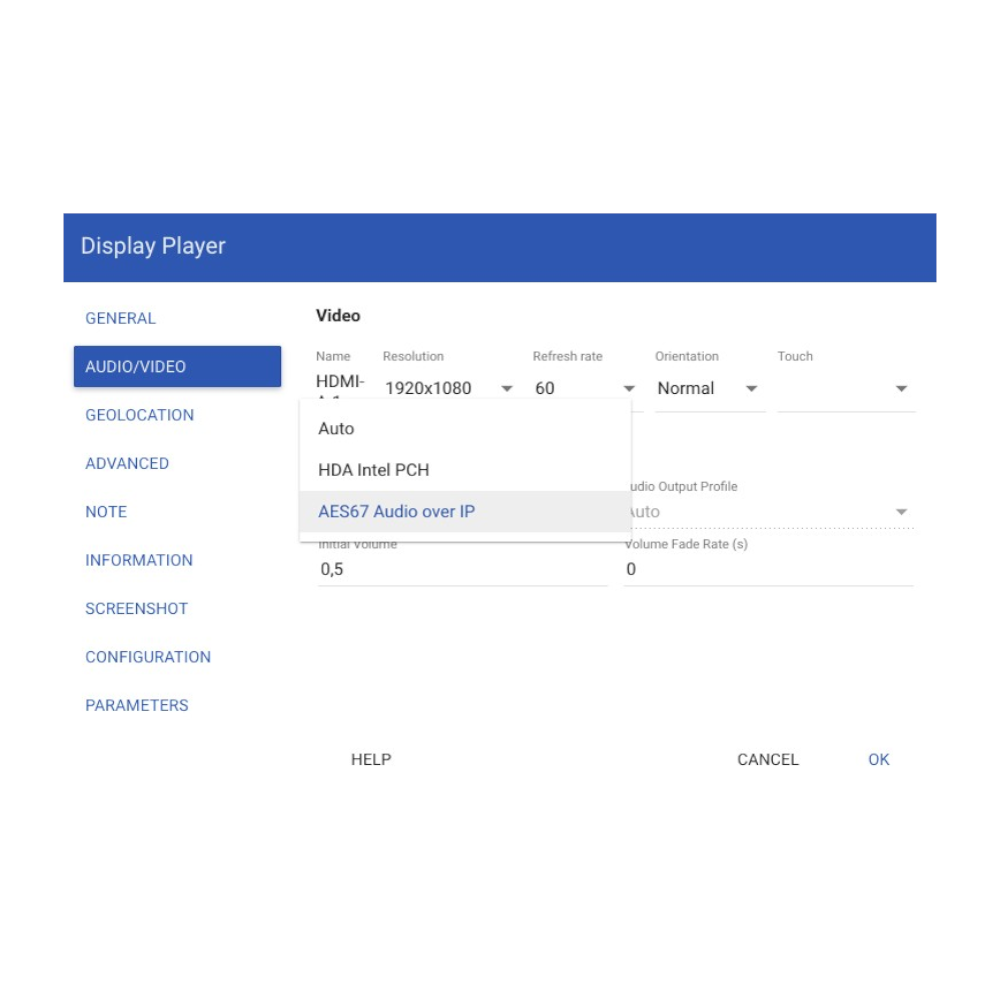
Once AES67 has been configured in the player configuration file and the player has rebooted, the “AES67 Audio over IP” sound output will appear in the Audio/Video tab in the Display Spot settings as seen in the picture below. Choose this sound output to start transmitting AES67 from the player.
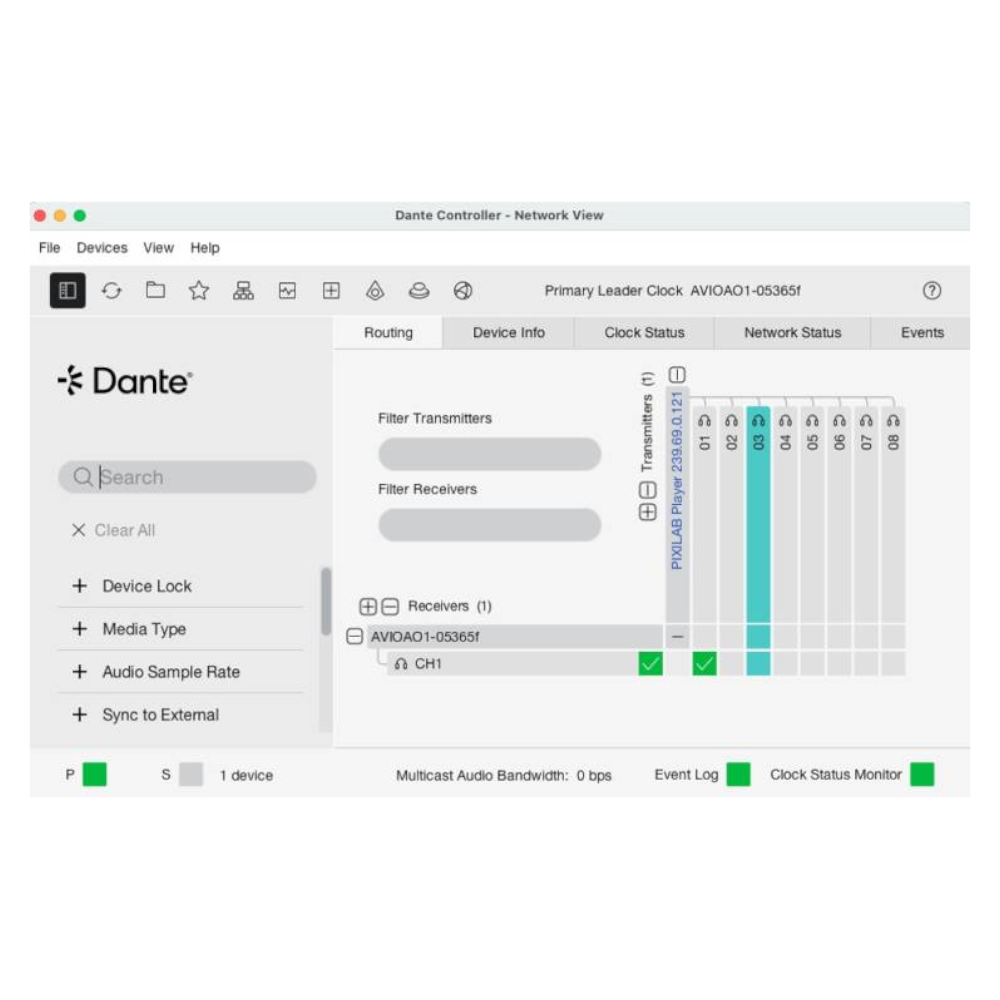
 After selecting the “AES67 Audio over IP” audio output, the AES67 stream from the player will appear in Dante Controller as shown below.
 IMPORTANT: For performance reasons, it is NOT recommended to enable AES67 in the player configuration file while not using the “AES67 Audio over IP” sound output.